Roles and what each can see
Every screen in SBDMS asks “who are you?” and shows or hides things based on the answer. This page tells you what your role can do and why some rows are missing for you. It applies to all signed-in users.
The four roles
Section titled “The four roles”| Role | Who it is for | In one line |
|---|---|---|
| SuperAdmin | The project lead. One per system. | Everything, plus creating GeneralAdmin accounts. |
| GeneralAdmin | Senior office staff. | Every admin page, every camp site. |
| LocationAdmin | The lead at a camp site. | Admin pages, but only for their own site(s). |
| GeneralUser | Health workers at a camp. | Runs the camp-day flow at their site. Reads, but does not edit, admin data. |
SuperAdmin and GeneralAdmin are global. They see every row in every list.
LocationAdmin and GeneralUser are scoped. They see only what belongs to their assigned camp site(s).
To see your own role, open the user menu at the top right of the header (click your name). It shows your @username, your role, and, for scoped roles, your Assigned Locations.
Site assignment
Section titled “Site assignment”A scoped user is tied to one or more camp sites. An admin sets this in Admin → Office Staff → Edit → Assigned Camp Sites, or from a camp site’s page with Assign Office Staff.
- You can be assigned to several sites. Your lists then merge; the dashboard has a Switch Location dropdown so you can look at one site at a time.
- A scoped user with no assigned site sees almost nothing: no camp days, no dose batches, and only children who have never been dosed anywhere. If this is you, ask an admin to fix your assignment.
- The server checks your assignment fresh on every request. If an admin changes your sites, the change applies on your next click.
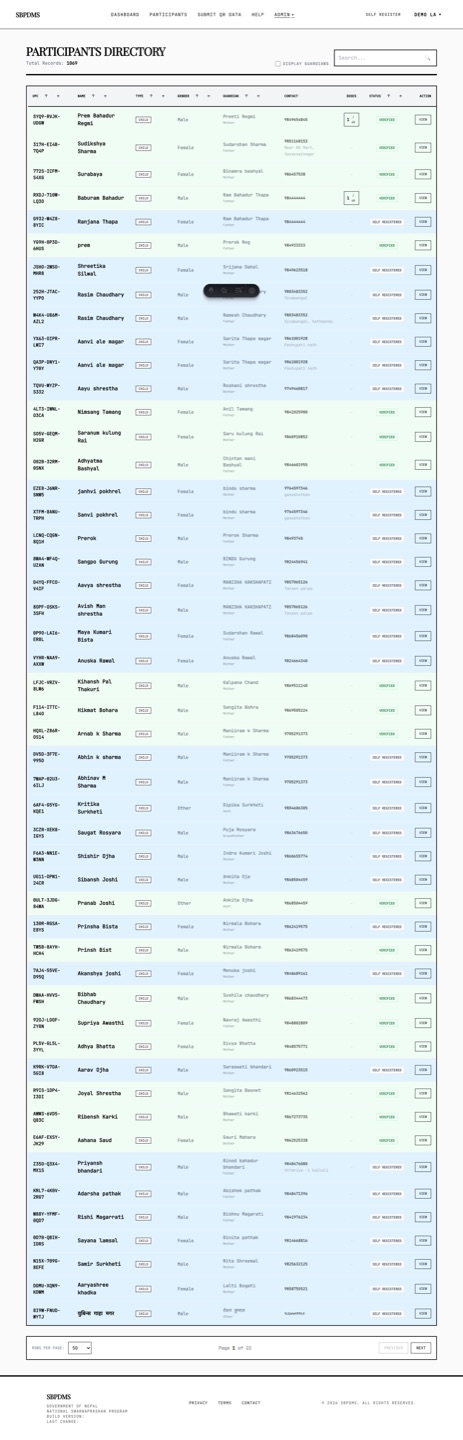 The same participants list, seen by a LocationAdmin assigned to two sites. It shows far fewer rows than a GeneralAdmin sees.
Which children a scoped user can see
Section titled “Which children a scoped user can see”The rule for children and their guardians is:
- You can see a child who has at least one dose session at one of your sites.
- You can also see a child who has no dose session anywhere yet. This is so that newly registered children (marked Self Registered) can be found and verified at whichever camp they walk into.
- You cannot see a child whose only dose sessions were at other sites.
A guardian is visible if at least one of their linked children is visible to you.
Which admin rows a scoped user can see
Section titled “Which admin rows a scoped user can see”| List | LocationAdmin and GeneralUser see |
|---|---|
| Camp Days | Only camp days at their site(s). |
| Dose Preparations | Only batches prepared for their site(s). |
| Office Staff | Only staff who share a site with them, plus their own record. SuperAdmin and GeneralAdmin accounts are hidden. |
| Camp Sites and reference data (Regions, Districts, Units, and so on) | Everything, read-only. |
| Reports | LocationAdmin: only their site(s) in the site picker. GeneralUser: no Reports link at all. |
| Audit Log, Data Import, Import Org Children | Not shown. |
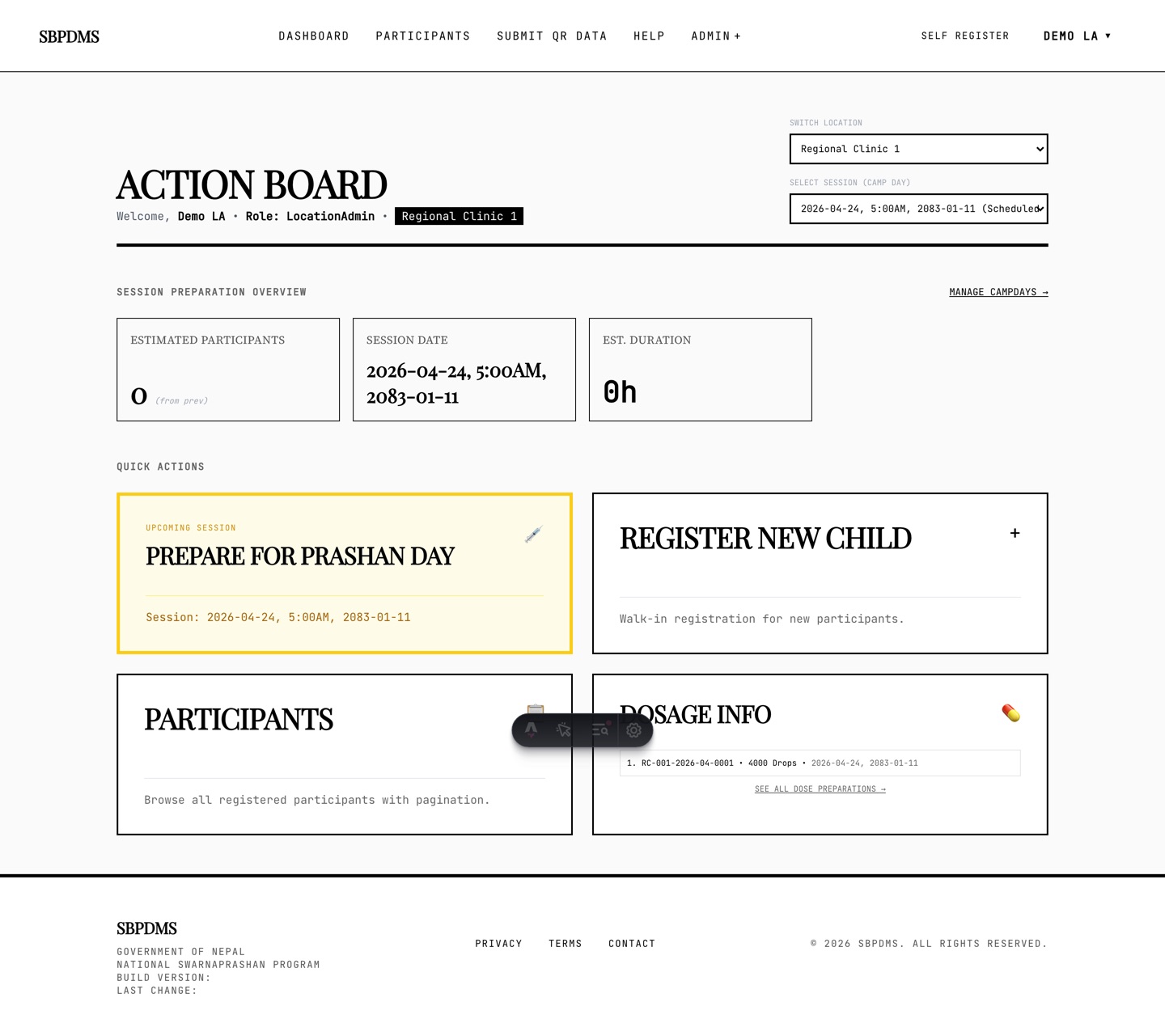 A LocationAdmin’s dashboard. Only their assigned site appears.
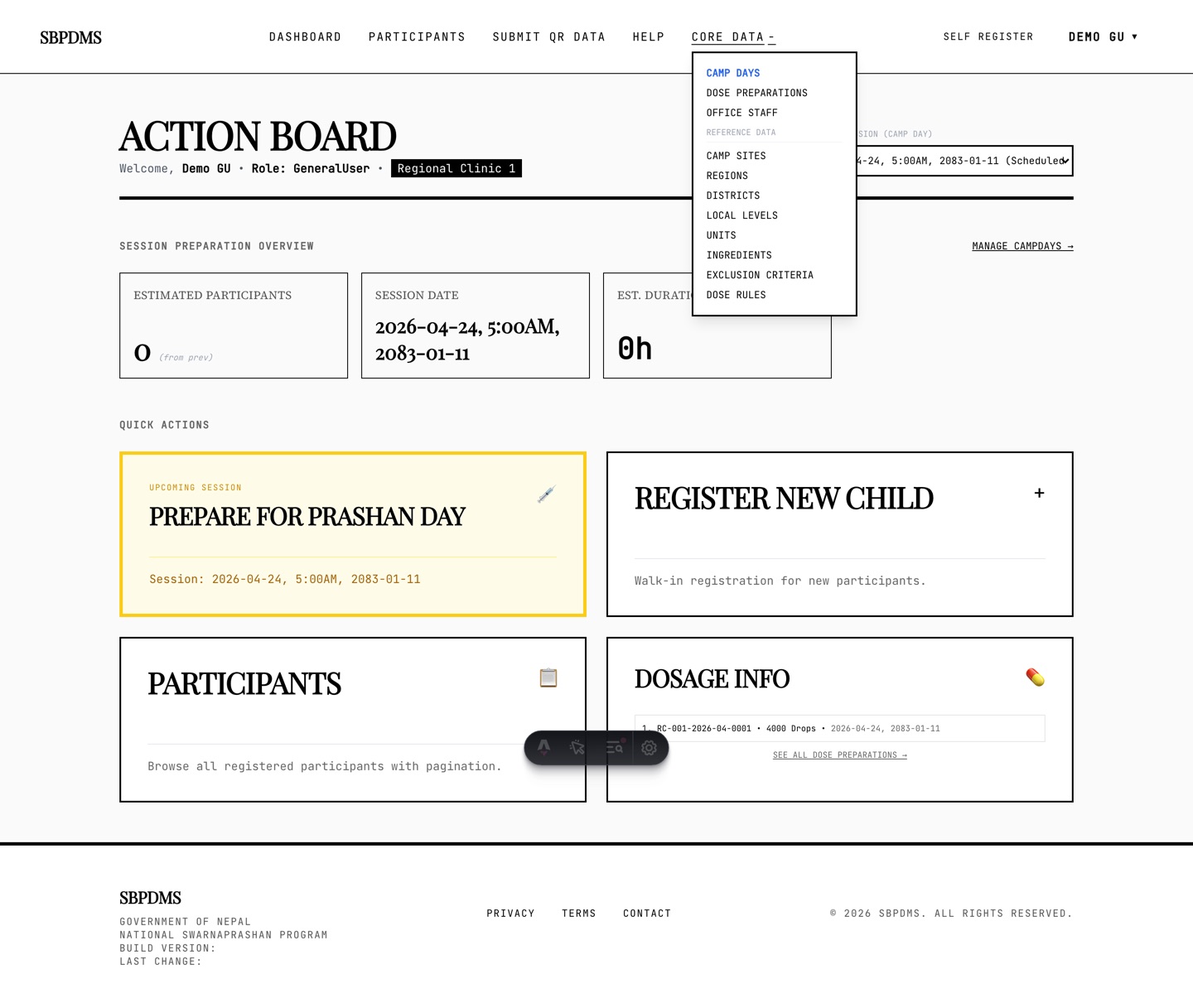 A GeneralUser sees a dropdown called Core Data instead of Admin. Reports and the import pages are missing from it.
What a denial looks like: 404, not 403
Section titled “What a denial looks like: 404, not 403”When you try to open something your role cannot see, SBDMS answers 404 Not Found, the same as if the record did not exist. It does not say “forbidden”.
Why: a “forbidden” answer would tell you that the record exists somewhere. A LocationAdmin who guesses a profile number should not be able to learn that a child exists at another site. So the system treats “not yours” and “does not exist” the same way.
What you see in the browser is the branded Page not found screen or an error toast. If you are sure the record exists, the fix is almost always your site assignment. Ask an admin.
A few actions that make no sense for your role are refused outright instead. For example, a LocationAdmin trying to create a GeneralAdmin account gets a plain error, not a 404.
What if the page opens but I cannot edit?
Section titled “What if the page opens but I cannot edit?”That is on purpose. Several pages open in read-only mode for some roles: reference data for LocationAdmin and GeneralUser, camp days and dose batches for GeneralUser. You can browse but the New, Edit and Delete buttons are not there. If you need to change something, ask someone with a higher role.
Permission matrix
Section titled “Permission matrix”| What you want to do | SuperAdmin | GeneralAdmin | LocationAdmin | GeneralUser |
|---|---|---|---|---|
| Sign in and see the dashboard | Yes | Yes | Own sites | Own sites |
| Register or verify a child | Yes | Yes | Yes | Yes |
| Run the camp-day flow and record doses | Yes | Yes | Own sites | Own sites |
| Add a follow-up remark to a child | Yes | Yes | Yes | Yes |
| Edit a child or guardian profile | Yes | Yes | In scope | In scope |
| Create, edit, delete camp days | Yes | Yes | Own sites | Read only |
| Create, edit, lock dose preparations | Yes | Yes | Own sites | Read only |
| Unlock a locked dose preparation | Yes | Yes | Limited | No |
| Camp sites and reference data | Edit | Edit | Read only | Read only |
| Assign staff to a camp site | Yes | Yes | Own sites | No |
| Office Staff accounts | All | All | Own sites, GeneralUser only | No |
| Create a GeneralAdmin account | Yes | No | No | No |
| Create a LocationAdmin account | Yes | Yes | No | No |
| Create a GeneralUser account | Yes | Yes | Yes | No |
| Reports (Anusuchi-2, Anusuchi-3, registrations, exports) | Yes | Yes | Own sites | No |
| Camp-day analytics | Yes | Yes | Own sites | Own sites |
| Audit log | Yes | Yes | No | No |
| Data Import and Import Org Children | Yes | Yes | No | No |
Nobody can create a SuperAdmin from inside the app. That account is created when the system is first installed.
Role changes
Section titled “Role changes”If an admin changes your role or your sites, sign out and sign in again. The header reads your role from the details saved at login, so the Admin or Core Data label updates only after a fresh login.