A Prashan day, start to finish
This page is the one-page checklist for a Prashan day, the day children come to a camp site to receive their drops. It is for the health worker (GeneralUser) who gives the doses and the site admin (LocationAdmin) who sets the day up. Each step links to a longer page in this section.
Who does what
Section titled “Who does what”| Role | On a Prashan day |
|---|---|
| SuperAdmin, GeneralAdmin | Can do everything below at any site. Can export the audit list of children dosed away from their preferred site. |
| LocationAdmin (site admin) | Prepares the dose batch, schedules the camp day, attaches staff, marks the day Completed. Can also dose children. |
| GeneralUser (health worker) | Finds each child, screens them, gives the dose, records it. Can view the camp-day report for their own site. |
Every role only sees camp days at the sites assigned to them. SuperAdmin and GeneralAdmin see all sites.
Days before
Section titled “Days before”Do these in order. Each one depends on the last.
- Dose preparation is locked. Go to Admin → Dose Preparations. The batch for this day must be saved and then Locked. A draft batch cannot be attached to a camp day. The batch code is what gets written on every child’s record.
- Camp day is scheduled. Go to Admin → Camp Days → + Schedule Camp Day. Pick the camp site, start and end date-time, and attach one or more locked batches from the same site.
- Staff are attached. On the same form, tick the staff who will work the day. Only staff already assigned to the site appear.
- Staff have logins. Every worker needs their own username and password. Doses are recorded against the person who was logged in, so do not share logins.
The dose rules (age band to number of drops) and the exclusion criteria list are set once by an admin and rarely change. If they are empty, the screening page will say so.
Morning of the day
Section titled “Morning of the day”- Log in. The Dashboard opens.
- In Select Session (Camp Day) pick today’s camp day. If you work at more than one site, pick the site first in Switch Location.
- Click the big black Prashan Day card. The Prashan Day page opens. Its header shows the camp site and the batch codes attached to the day.
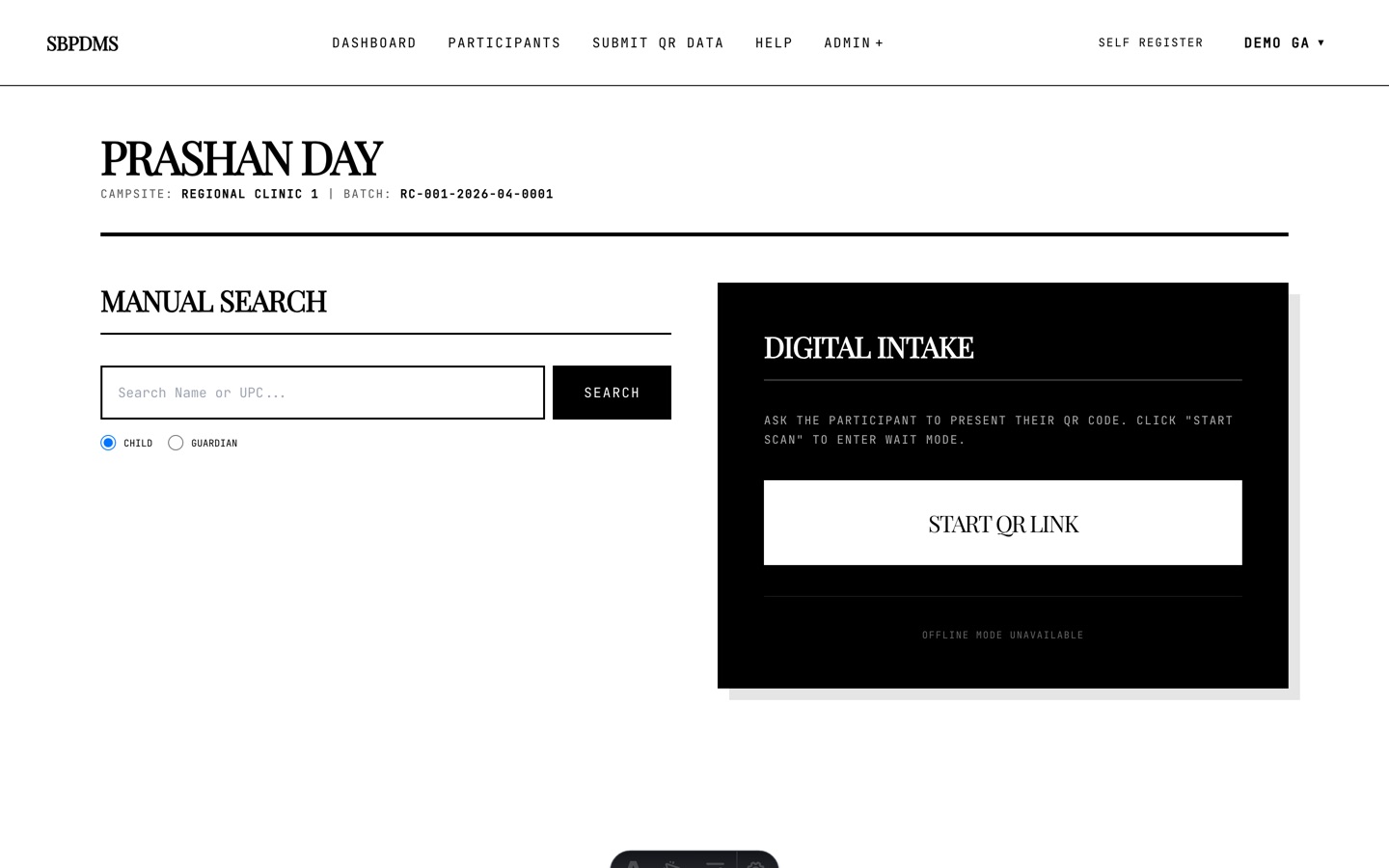 The Prashan Day page. Search on the left, QR wait on the right.
If Batch in the header shows ..., the camp day has no batch attached. Stop and ask the site admin to fix it before dosing.
For each child
Section titled “For each child”Four steps, always in this order.
- Find. Search by name or UPC, search the guardian, or wait for a QR scan. Read Finding the child.
- Screen. Height, weight, other measurements, the accompanying guardian, medical history and exclusion criteria. Read Step 1: Screening.
- Dose. Confirm the batch, tick Guardian Informed, press Complete Dose. Read Step 2: Giving the dose.
- Done. You see Mission Accomplished. Press Return to intake and call the next child.
If a dose from a previous day is being entered from a paper register, read Recording a dose given earlier (paper entry) first.
End of the day
Section titled “End of the day”- Look at the top of the Prashan Day page. If an amber banner says children were screened but not marked as dosed, click Review and clear the list. Read Screened but not dosed.
- Open the camp-day report: Admin → Camp Days → Reports on the row. Check Dosed Participants, Screened, not dosed (should be 0) and Total No. of Drops against your paper tally.
- Mark the camp day Completed in Admin → Camp Days. Read Closing the day.
Pages in this section
Section titled “Pages in this section”- Finding the child
- Step 1: Screening
- Step 2: Giving the dose
- Recording a dose given earlier (paper entry)
- Screened but not dosed
- Closing the day
The official Anusuchi forms are described under Reports and analytics.